


The problem: You sell an online course from a content site. Visitors arrive on articles from search, the course page looks unfinished, and you plan to buy ads. Paying for traffic to a weak page buys bounces.
The fix: Build a proper sales page first, in a tool you can edit yourself, and lead readers from articles to it. This online course landing page guide comes from a project in January to March 2020 for a seller of an educational health course who runs his own content site: about 10 hours, about $1,000 at today’s $100 an hour, coded in Unbounce.
In short: An online course landing page converts only if visitors can reach it, so lead readers from your articles to the page. Ours took about 10 hours, about $1,000 at today’s $100 an hour, and was built in Unbounce so the client could edit it himself.
- Client
- An online health course seller
- Dates
- Jan 13 to Mar 2020
- Budget
- Popular
- Spent
- $1,000
- Done in
- 3 weeks to a nearly coded page
He first wrote to us about optimizing the site for pay-per-click traffic. We took the page and declined the ads: ad campaigns were not our focus, and he needed someone for those.
Contents
Online Course Landing Page: Start With the Page, Not the Ads
Our first look at the site was blunt: it gave an impression of an unfinished website, with no obvious flow, no clear calls to action and no illustrations, though it was clean and good looking in its way. The page that would replace the current course page came first, and the rest of the site after it.
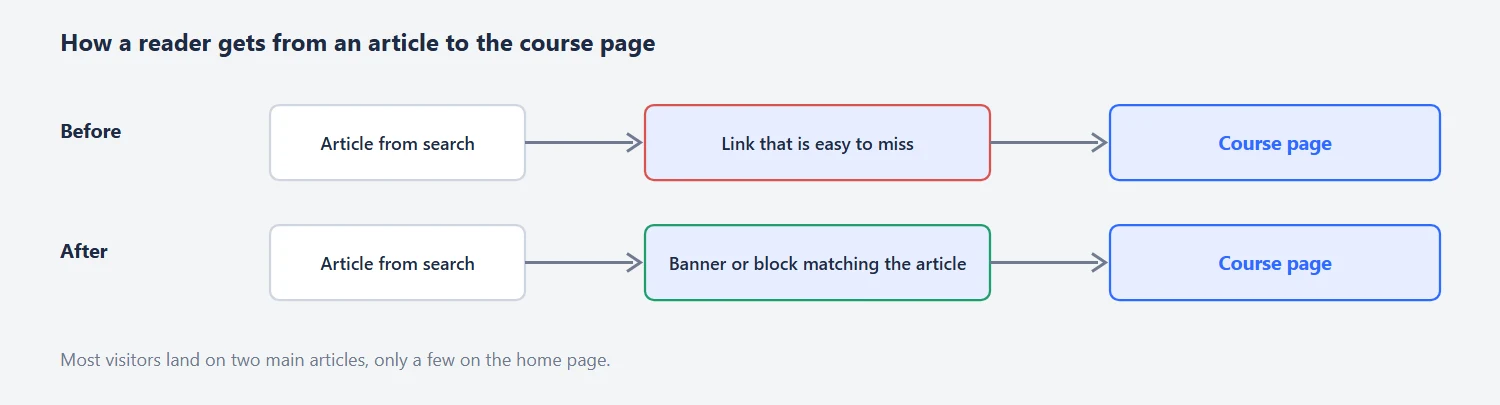
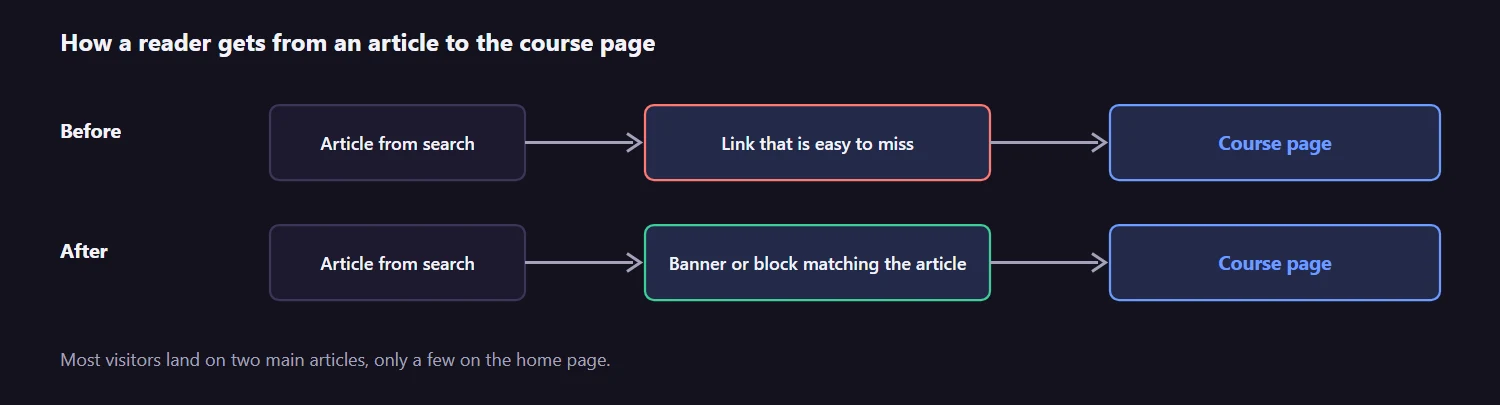
The client described where his visitors land: most come from search and referrals to two main articles, and only a few to the home page. The articles link to the course page, but not in a way that leads people there. A good course funnel has a banner or a block inside the article that matches what the article promised, so we designed an inner page with banners for the course as well.
Online Course Landing Page Cost: 7 to 10 Hours, $700 to $1,000
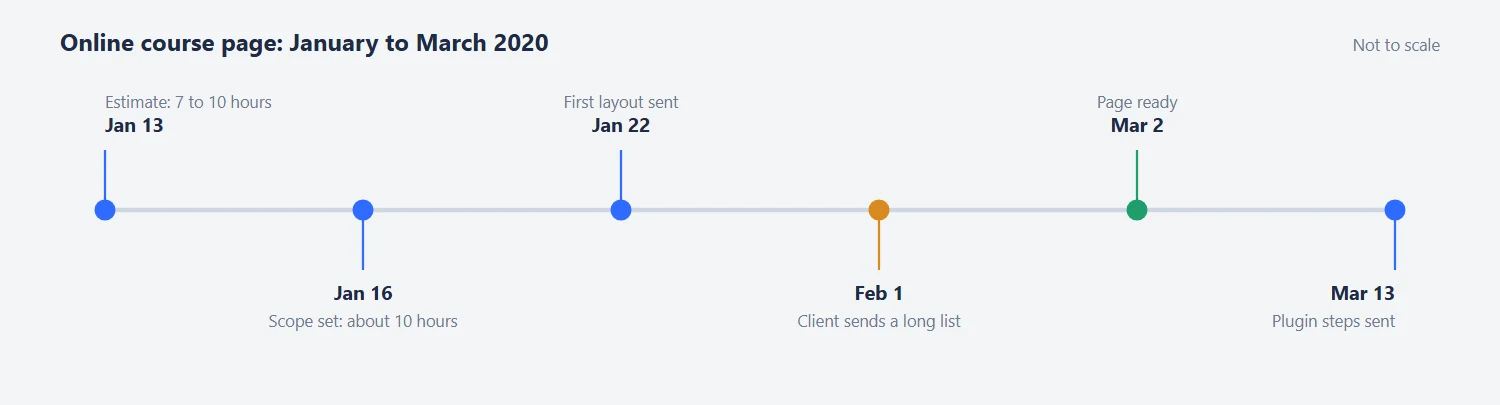
The estimate on January 13 was 7 to 10 hours or more for a typical landing page, about $700 to $1,000 at today’s $100 an hour, in 5 to 8 days. On January 16, we settled on about 10 hours, about $1,000 at today’s rate, for the page plus a coded version in Unbounce or Instapage, with a limit of 10 hours a week. Our advice on the tool: both are fine, Unbounce is slightly better to our taste, and the cheaper plan can be upgraded later. The reason is worth repeating: with the page in a builder you own, you can test your own hypotheses without asking the designer for each edit.
| Step | What we agreed |
|---|---|
| First estimate, Jan 13 | 7 to 10 hours or more, about $700 to $1,000 at today’s $100 an hour, in 5 to 8 days |
| Agreed scope, Jan 16 | About 10 hours, about $1,000: the page plus a coded version in Unbounce or Instapage |
| Weekly limit | 10 hours a week |
Online Course Landing Page Content: Remove the Claims You Can’t Prove
A proposed layout came on January 22 and the client’s feedback two days later was short: more background graphics lower down, and buttons in a colour other than red. On February 1 he sent a long list. Most points were ordinary: reorder the sections (about the course, topics, health challenges, links, about, testimonials), use pictures that look less like every other health site, add more comments from articles as testimonials.

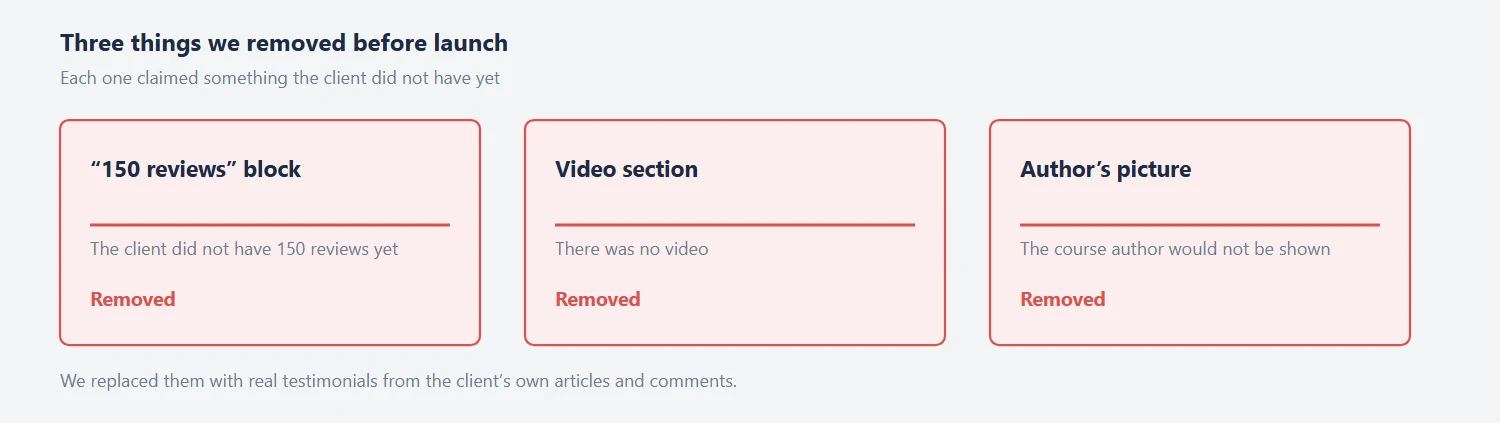
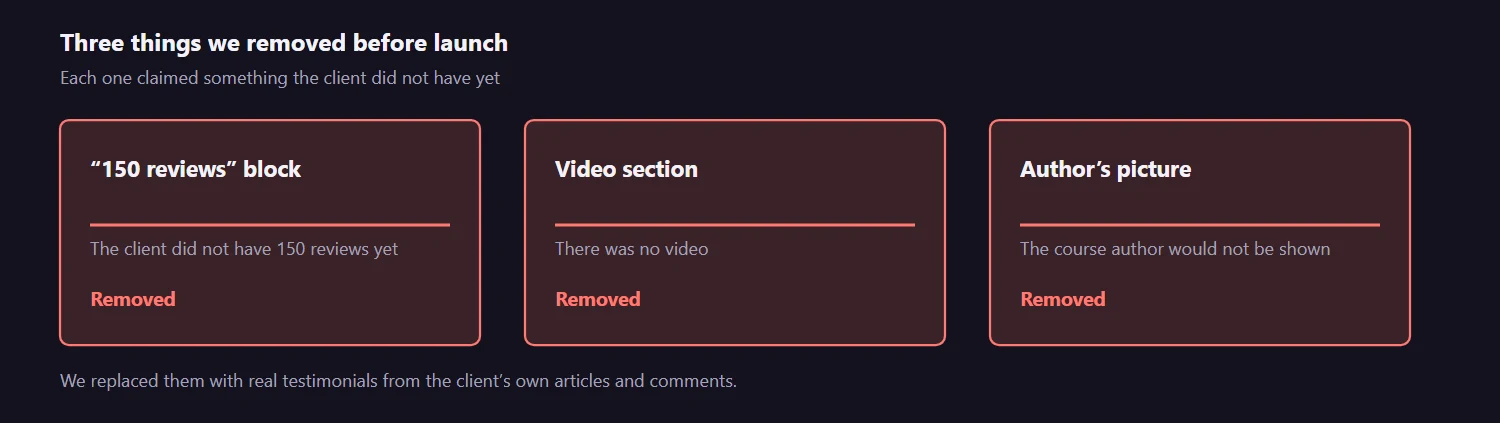
Three points taught us something. He asked to remove a “150 reviews” block, because he did not have 150 reviews yet. He asked to remove the video section, since he had no video. And he asked to drop the author’s picture, because the course author would not be shown. We removed all three, and the page is better for it: a visitor deciding whether to pay for a health course gets nervous at a claim they can’t check. Use real testimonials from your own articles and comments instead.
Unbounce to WordPress: What the Plugin Needs
We confirmed on March 2 that the page was ready, and that links can be updated in the Unbounce editor. Publishing to WordPress needs the Unbounce Pages plugin, which only an administrator can add. We sent the steps on March 13: install and activate the plugin, authorize it from the left menu, and publish the pages to your WordPress domain from inside Unbounce.
What the Client Said About the Work
On February 1, 2020 he thanked us for the great work so far, and on March 2 wrote: “The page looks good. Thank you for your work.”
What went well: the page was nearly coded within three weeks of the contract start, the client could edit it himself, and an unearned trust block was removed before launch, not after.
Tips From This Project
Use these on your own online course landing page:
- Fix the landing page before you buy ads.
- Find out where visitors land, and add course banners to those articles.
- Choose a builder you can edit yourself.
- Remove claims you can’t prove: review counts, videos you don’t have.
- Give your designer analytics and recordings (Hotjar) from day one.
- Hire a separate specialist for ad campaigns.
Need a Landing Page for a Course or a Paid Campaign?
Ask us about your online course landing page. If you sell a course and your visitors arrive on articles, tell us where they land and we will say how we would lead them to the offer. You can also see what a landing page project costs before you write to us, or see how we approach landing page design.
Read next
Comparison Website UX Redesign: CDNfinder Case Study. A page that sends visitors to a quote instead of a bounce.
HIPAA-Compliant Website Design: What We Changed on LuxSci’s Homepage. Compliance copy and trust on a healthcare-adjacent homepage.